
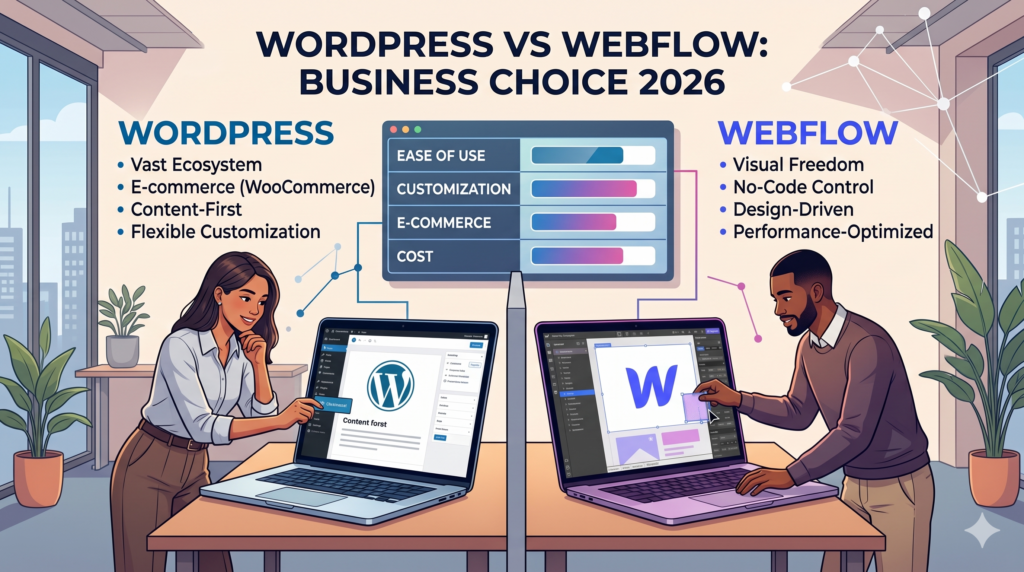
WordPress vs Webflow: Which Platform Should Your Business Choose in 2026?
WordPress or Webflow?
WordPress and Webflow are both industry-leading website platforms, but they serve entirely different business models in 2026:
- WordPress is an open-source CMS ideal for complex, highly scalable websites. It is the best choice if you rely heavily on advanced SEO, Answer Engine Optimization (AEO), auto-generated Schema markup, and custom web applications.
- Webflow is a visual, hosted SaaS website builder. It is the best choice for design-centric teams, rapid launches via AI Site Builders, and out-of-the-box performance without the need for technical maintenance.
The Verdict: Choose Webflow for speed, visual simplicity, and immediate performance. Choose WordPress for long-term scalability, complex content architecture, and total digital ownership.
Introduction: The Website Landscape in 2026
Choosing the wrong website platform can limit your business growth before it even begins.
In 2026, the criteria for a “good website” have changed. Businesses are no longer just looking for attractive designs. They need platforms that support aggressive SEO growth, maintain pristine Core Web Vitals (specifically Interaction to Next Paint, or INP), and integrate natively with AI workflows.
Both WordPress and Webflow have evolved significantly to meet these demands, but they solve different problems. This guide breaks down the real differences so you can make an informed investment.
What Is WordPress?
WordPress is the world’s most widely used content management system (CMS), powering over 40% of the web. It is an open-source ecosystem, meaning you fully own and control your website’s data and infrastructure.
While it started as a blogging platform, modern WordPress (especially when run as a “Headless CMS”) is a highly flexible engine capable of building:
- Complex business platforms
- Large-scale WooCommerce stores
- Membership and LMS systems
- Custom web applications
Best For:
- SEO and AEO-focused businesses
- Content-heavy websites scaling to thousands of pages
- Brands requiring full data ownership
- Complex, custom backend integrations
What Is Webflow?
Webflow is a visual development platform that combines design, CMS functionality, and hosting into a single SaaS product. It allows designers and marketers to build visually stunning, custom websites without writing code manually.
Unlike WordPress, Webflow manages your hosting, security, and infrastructure. Furthermore, Webflow has aggressively integrated AI in 2026, offering native tools like the Webflow AI Site Builder and Webflow Optimize for automated A/B testing.
Best For:
- Creative agencies and design-first brands
- SaaS marketing websites and landing pages
- Teams wanting low technical debt and zero server maintenance
- Startups needing to launch beautiful sites quickly
WordPress vs Webflow: 2026 Key Differences
| Feature | WordPress | Webflow |
| Platform Type | Open-source CMS | Hosted SaaS Visual Builder |
| AEO & Schema | Excellent (Auto-generated via plugins) | Good (Requires manual custom embeds) |
| AI Capabilities | Advanced via plugin ecosystem | Native (AI Site Builder, Optimize) |
| Core Web Vitals | Requires optimization / Headless setup | Excellent out-of-the-box |
| Design Flexibility | Unlimited (Code or Page Builders) | Extremely High (Visual Canvas) |
| Scalability | Enterprise-level | Moderate to High |
| Maintenance | High (Updates, security, hosting) | Low (Fully managed) |
| Pricing | Flexible / Variable | Subscription-based |
Why Choose WordPress in 2026?
1. Unmatched AEO and SEO Infrastructure
In the era of AI Search (SGE) and LLMs, Answer Engine Optimization (AEO) is critical. WordPress excels here because plugins like Yoast and RankMath automatically generate comprehensive Schema Markup (Article, FAQ, Product, Review). Webflow requires manual coding for complex schema structures, giving WordPress a massive advantage for content-heavy sites.
2. Full Ownership and No Platform Lock-in
With WordPress, you own your database, code, and hosting environment. If a SaaS provider raises their prices drastically, you can simply migrate your WordPress site to a new server. You are never locked into a proprietary ecosystem.
3. Unlimited Customization & Headless Capabilities
Need a custom booking engine, a user dashboard, or a complex API integration? WordPress can handle it. Furthermore, enterprise brands are increasingly using Headless WordPress in 2026 using WordPress for content management while deploying a modern frontend (like React or Next.js) to achieve perfect Core Web Vitals.
Scale Your Tech: Businesses outgrowing traditional templates often rely on expert custom web application development to build headless architectures that combine WordPress flexibility with lightning-fast frontends.
Why Choose Webflow in 2026?
1. AI-Powered Visual Development
Webflow’s built-in AI tools have revolutionized site building. The AI Site Builder can generate functional layouts, design systems, and placeholder copy from a single prompt. This drastically reduces the time from conceptualization to launch.
2. Pristine Core Web Vitals (Out of the Box)
Google’s shift to using INP (Interaction to Next Paint) as a primary ranking factor hurt many bloated websites. Webflow generates clean, semantic HTML, CSS, and JavaScript. Without the need for heavy third-party plugins, Webflow sites naturally pass Core Web Vitals assessments much easier than a standard, unoptimized WordPress site.
3. Zero Technical Maintenance
Because Webflow is a managed SaaS platform, you never have to worry about updating PHP versions, patching plugin vulnerabilities, or managing server CDN caches. Your team can focus entirely on marketing and design.
SEO Comparison: Which is Actually Better?
For Simple Marketing Sites: Webflow
Webflow covers all the modern SEO fundamentals. It produces clean code, loads fast, and allows you to easily manage meta titles, descriptions, and 301 redirects. If your SEO strategy relies on 10-50 high-quality landing pages, Webflow is highly efficient.
For Aggressive Content & Programmatic SEO: WordPress
WordPress is the undisputed king of large-scale organic growth. If your strategy involves topic clusters, hundreds of blog posts, complex multilingual setups (hreflang), and programmatic SEO, WordPress’s database structure handles this far better.
Growth Strategy: If organic search is your primary acquisition channel, investing in scalable WordPress development services ensures your technical SEO foundation won’t crack under the weight of thousands of pages.
Which Should You Choose?
The right choice depends entirely on your internal resources and business model.
Choose WordPress if:
- You are building an expansive content library or news site.
- You require robust WooCommerce capabilities.
- You need auto-generated Schema for Answer Engine Optimization (AEO).
- You want complete data sovereignty.
Choose Webflow if:
- Your brand relies on complex, interactive, and custom web animations.
- You want to avoid paying for server maintenance and security updates.
- You need to launch a high-performance marketing site rapidly.
Frequently Asked Questions (FAQ)
Is WordPress better than Webflow for Core Web Vitals?
Out of the box, Webflow is generally better for Core Web Vitals because it generates cleaner code and doesn’t rely on third-party plugins. However, a properly optimized or Headless WordPress site can achieve perfect scores, though it requires more technical expertise to set up.
How do WordPress and Webflow handle AI and AEO?
WordPress is currently better for AEO (Answer Engine Optimization) because its plugins can auto-generate complex Schema markup at scale, which AI models rely on to understand content. Webflow offers native AI tools for design and copy generation, but complex Schema must be added manually via custom code.
Can I migrate my website from Webflow to WordPress later?
Yes. Many businesses start on Webflow for a fast launch and migrate to WordPress a few years later when they need more advanced backend functionality, cheaper scalability, or programmatic SEO capabilities.
Is Webflow cheaper than WordPress?
In the short term, Webflow’s predictable subscription pricing can be cheaper as it includes hosting and security. In the long term, WordPress can be more cost-effective as you scale, because Webflow’s enterprise tiers and add-ons (like Localization) can become expensive, whereas WordPress allows you to shop around for hosting.
Ready to Build the Right Foundation?
Choosing the wrong platform can cost your business months of lost growth, SEO limitations, and expensive rebuilds later. Whether you’re launching a new site or migrating an old one, choosing the right foundation matters.
At WEAMSE, we help businesses build scalable WordPress ecosystems, high-performance ecommerce platforms, and custom digital experiences built for 2026 and beyond.
Not sure which platform fits your technical requirements? Talk to the technical strategy experts at WEAMSE before you make your decision.